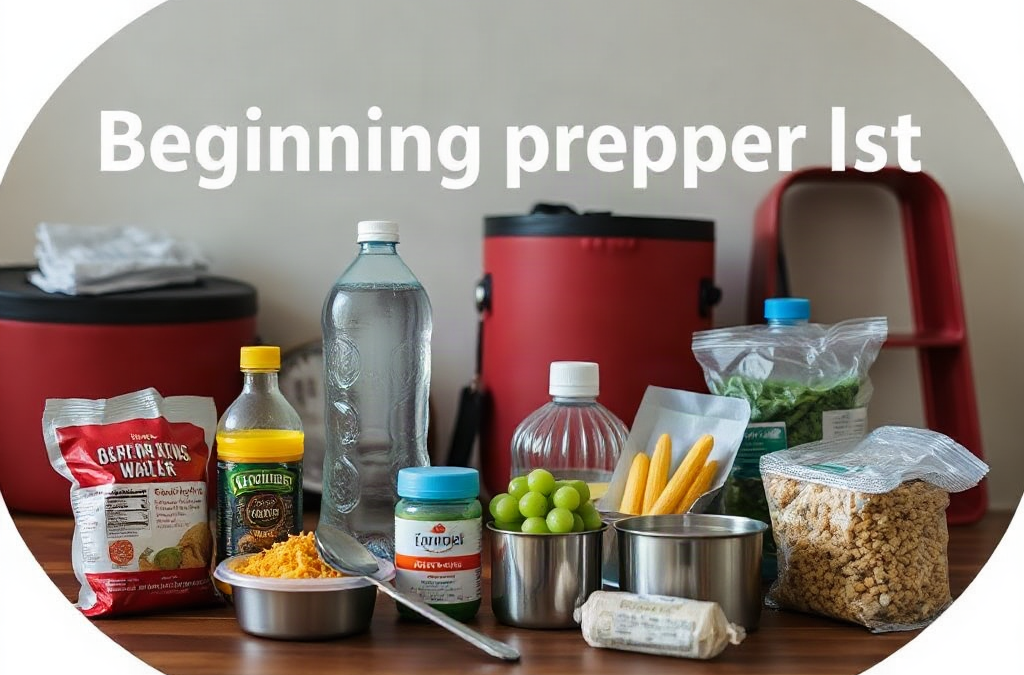
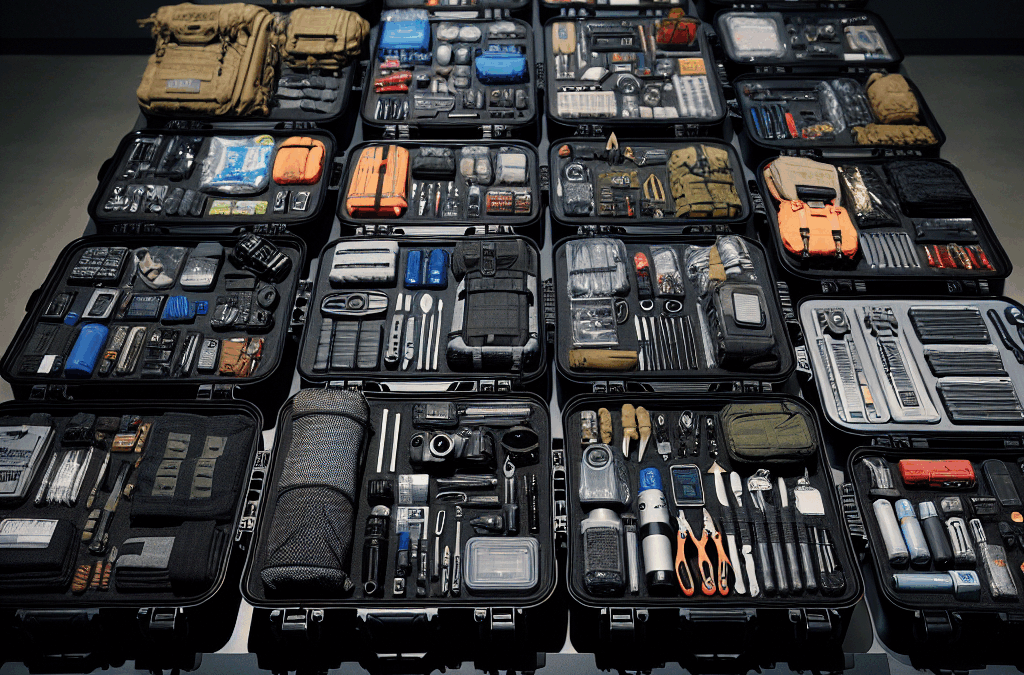
A useful beginning prepper list is ranked by the consequences of shortage, not by how impressive an item looks. Water, food, sanitation, medication access, information, and basic safety usually deserve attention before generators, tactical equipment, or large quantities of specialized supplies. A household facing a short power outage has different needs from one preparing for evacuation, but both benefit from covering everyday disruptions first.
Cost should be measured against usefulness, storage life, and the number of people served. A $10 manual can opener may be more valuable than a costly freeze-dried meal if the household owns canned food but cannot open it. Likewise, a large water container is only an advantage if it can be filled, moved, cleaned, and stored safely. Capacity that cannot be handled becomes wasted spending.
Use three questions for every purchase: What problem does it solve? What will make it fail? Can the household use it without special training or unavailable fuel? A sensible priority order is:
Immediate needs: water, food, medication, sanitation, light, and information.
Continuity needs: cooking, charging, warmth or cooling, cash, documents, and simple repairs.
Resilience upgrades: backup power, improved storage, transport equipment, and specialized tools.
Someone living in an apartment may choose compact water containers and a small indoor-safe cooking alternative, while a homeowner may have room for larger storage and outdoor equipment. The Beginning prepper list by priority and cost should therefore be adjusted for climate, household size, medical needs, pets, and likely local hazards rather than copied item for item.
The Lowest-Cost Starting Stage
The first spending stage should create several days of basic continuity using items that fit normal household life. Store water in clean, food-grade containers and include a method for carrying it. Do not rely on a single large vessel; smaller containers are easier to rotate and move if a leak develops. If local authorities issue a water advisory, follow their instructions rather than assuming a home filter makes every source safe.
Build food reserves from products the household already eats: canned vegetables, beans, fruit, soups, rice, oats, pasta, peanut butter, shelf-stable milk, crackers, and other items suited to allergies and dietary restrictions. A pantry that is regularly used and replaced is more dependable than unfamiliar emergency food purchased in bulk. Include a manual can opener, disposable or washable utensils, and foods that require little or no cooking.
Sanitation often receives too little attention. Soap, hand sanitizer, toilet paper, heavy-duty bags, disinfecting supplies, menstrual products, diapers, and a way to manage waste can prevent a manageable disruption from becoming a hygiene problem. Add flashlights or headlamps, spare batteries, a battery radio or another reliable alert method, basic first-aid materials, and a written list of medications and contacts.
A practical low-cost shopping sequence is water containers first, then ordinary pantry foods, sanitation, lighting, first aid, and document protection. Keep copies of identification, insurance information, prescriptions, and emergency contacts in a sealed folder or secure digital location. The common mistake is buying novelty gear while lacking toilet supplies, safe drinking water, or a way to open food. This stage is not glamorous, but it covers the failures people encounter most directly.
The Mid-Range Supplies That Add Capability
Once the basic supply layer is stable, spend on tools that let the household use what it already owns. A power bank, charging cables, spare batteries, a battery-powered lantern, and a car charger can preserve communication during a short outage. Test the charging system with the actual phones and cables in the home; connector mismatches and dead power banks are common failure points.
Cooking deserves careful attention because indoor fuel-burning devices may create fire or carbon-monoxide hazards. Choose equipment intended for its location, follow the manufacturer’s ventilation instructions, and never use outdoor-only burners inside a home, garage, or tent. A no-cook food reserve may be safer and cheaper for an apartment than buying a stove that cannot be operated properly.
Other mid-range additions include a fire extinguisher, work gloves, protective eyewear, a basic tool set, duct tape, tarps, water-resistant storage, and a modest amount of cash in small denominations. These purchases address predictable problems such as a leaking pipe, broken window covering, blocked door, or payment-system outage. They do not replace professional repair, but they can reduce exposure while help is unavailable.
Consider a household that has food and water but loses power during a winter storm. A lantern, charged phones, warm clothing, blankets, and a safe plan for staying warm may matter more than a large battery station. Conversely, a hot-climate household may prioritize shade, drinking water, cooling strategies, and medication storage. The weak assumption is that one universal “prepper” loadout fits every home. Choose items according to the failure being managed, then practice using them before the purchase becomes urgent.
Higher-Cost Purchases and Testing
Expensive equipment should follow a demonstrated need. A generator, solar charging system, large battery, water storage system, or vehicle evacuation setup can extend capability, but each introduces maintenance, fuel, weight, noise, storage, and safety demands. The purchase price is only part of the cost. Fuel may expire, batteries may lose capacity, and equipment may require outdoor placement or periodic inspection.
Generators illustrate the tradeoff clearly. A small unit may run selected devices but not heating or cooling systems. A larger model costs more and may require proper transfer equipment and installation. A battery station is quieter and simpler to store, yet its runtime depends on the load and recharge options. Compare the actual wattage of the refrigerator, medical device, communication equipment, or other priority load instead of buying from a vague promise of “whole-home” coverage.
Water treatment equipment also needs realistic testing. Confirm what contaminants a filter is designed to address, its replacement schedule, flow rate, and treatment capacity. A filter intended for taste improvement should not be treated as a universal answer to unsafe water. Keep a backup such as stored water and follow public-health instructions during contamination events.
Before buying advanced gear, run a household drill. Turn off selected utilities briefly, prepare meals, locate supplies in darkness, charge devices, and record what was difficult. If the family cannot find the batteries or does not know how to operate the stove, more equipment will not solve the weakness. Testing exposes gaps in placement, instructions, compatibility, and decision-making. Buy the upgrade that removes the most serious observed bottleneck, not the item with the longest feature list.
A Maintenance System That Protects the Budget
Preparedness is a working inventory, not a one-time shopping event. Food dates, battery condition, medication availability, water-container cleanliness, fuel condition, and seasonal clothing all change. A simple monthly inspection can catch problems before an outage or evacuation. Mark purchase dates, keep newer items behind older ones, and use ordinary pantry goods in rotation.
Group supplies by task rather than scattering them across the house. Keep lighting together, place sanitation supplies near the intended waste area, and store documents where they are protected but quickly accessible. Label containers with contents and inspection dates. A small written inventory prevents duplicate purchases and reveals whether supplies cover one person, several people, or pets.
Budgeting works better in stages. Set aside a small amount for the first layer, pause to use and evaluate it, then fund the next weakness. Watch for signs that the system is failing: expired food that no one eats, missing cables, leaking containers, dead batteries, inaccessible storage, or equipment no adult in the home can operate. Those observations are more useful than a shopping list generated without context.
Review plans after a move, new medication, change in household size, severe weather experience, or vehicle change. Evacuation needs may require go-bags, transport arrangements, maps, pet carriers, and destination contacts, while a stay-at-home disruption may call for more water, sanitation, and power support. Linking this work to a broader beginning prepper list by priority and cost keeps purchases tied to decisions rather than accumulation.
Frequently Asked Questions
What should a beginner prepper buy first?
Start with stored drinking water, familiar shelf-stable food, sanitation supplies, lighting, basic first aid, medications, and a way to receive local alerts.
How much should a beginning prepper spend?
Use a staged budget rather than a fixed target. Cover immediate needs first, test them, and then spend on the specific limitation the test reveals.
Is a generator necessary for basic preparedness?
No. A generator may help with selected high-priority loads, but lighting, power banks, warm clothing, and no-cook food can cover many short outages at lower cost.
Should preppers buy freeze-dried food?
It can be useful for long storage, but ordinary foods the household rotates may provide better value initially. Check taste, preparation needs, water requirements, and dietary fit.
How often should preparedness supplies be checked?
Inspect supplies at least monthly for batteries, water containers, medications, food rotation, damaged packaging, and missing equipment. Perform a fuller review when household circumstances change.
Further Reading
Authoritative Sources
Build A Kit ready.gov
Offers government guidance on assembling supplies for common disruptions, including water, food, light, and communication items
Emergency Water Supply cdc.gov
Explains safe handling and use of water when normal service is interrupted or a water advisory is issued
Power Outages ready.gov
Provides practical safety considerations for lighting, backup power, food, and heating or cooling during an outage
Conclusion
A strong starter inventory is built from the problems a household is most likely to face, not from expensive gear marketed as essential. Put water, usable food, sanitation, medical needs, lighting, alerts, and document access at the front of the budget. Add cooking, charging, fire safety, tools, cash, and weather-specific supplies only after the first layer is stored and tested. Advanced purchases deserve a calculation of fuel, capacity, maintenance, placement, and operator skill. Review the supplies monthly, rotate what the household actually uses, and run a short outage drill. The next purchase should remove a known weakness—such as inadequate water storage, unsafe cooking, or poor communication—so each dollar produces a measurable improvement in readiness.
A one-week disruption may involve a power outage, a temporary water-service interruption, severe weather, a fuel shortage, or restricted travel. Those situations do not create identical problems, so the useful starting point is not a shopping list alone. Identify which services your household needs every day and what fails when electricity, refrigeration, card payments, or tap water are unavailable.
Count people, pets, and any visitor who may reasonably shelter with you. Record prescription medicines, mobility equipment, infant supplies, dietary restrictions, and work or school requirements. A person who depends on a powered medical device has a different priority order from someone preparing only for a brief winter outage. Similarly, a household with a gas range may still be unable to cook if the ignition or ventilation system depends on electricity.
Use three priority levels. First, cover life and health: water, essential medication, food, temperature control, and medically necessary power. Second, preserve basic function with lighting, sanitation, communication, and cooking. Third, add convenience items such as comfort foods, extra batteries, or entertainment. This approach prevents a common failure mode: spending on specialized gear while lacking enough drinking water or a reliable way to open canned food.
People and animals: Include age, health, mobility, allergies, and pet needs.
Utilities: Note dependence on electricity, water, natural gas, internet, and refrigeration.
Access: Decide whether you can leave for supplies, use a vehicle, or rely on nearby support.
Storage: Keep supplies cool, dry, accessible, and distributed if one room may become unsafe.
A useful reference point is your normal seven-day consumption. Look at how much water, coffee, baby formula, pet food, medication, and toilet paper you actually use. That record is more reliable than an arbitrary container size. The Basic prepper list for a one-week disruption should reflect your home rather than an imagined average household.
Build Food and Water Reserves
Water deserves first position because people can often simplify meals, but they cannot safely replace drinking water with soft drinks, alcohol, or untreated outdoor water. Store commercially packaged water or clean, food-grade containers, and protect them from heat, sunlight, chemicals, and freezing conditions that may damage containers. Include water for drinking, medication, limited food preparation, and essential hygiene; the actual amount depends on household size, climate, health needs, and whether municipal service remains available.
Food should match your cooking limits and eating habits. Choose shelf-stable items that can be eaten cold or prepared with a small amount of water: canned beans, fish, meat, vegetables, fruit, peanut or seed butter, crackers, oats, rice, pasta, shelf-stable milk, and ready-to-eat meals. Add calories and protein rather than filling shelves with only snack foods. A family that dislikes canned beans may technically own food but still have a poor reserve if nobody will eat it.
Refrigeration changes the decision. During a power outage, keep the refrigerator and freezer closed as much as possible, and do not taste food to judge whether it remains safe. Perishable food should not be allowed to become a week-long assumption. Build meals around shelf-stable items and treat refrigerated food as an early-use option when conditions allow.
Cooking requirements create another tradeoff. No-cook food is simple and reduces fuel demand, while hot meals may improve morale and make some foods easier to consume. If you use a camping stove, outdoor burner, or other fuel appliance, follow its instructions and use it only where the manufacturer permits. Carbon monoxide can accumulate rapidly indoors, even when a door or window is open. Keep a manual can opener, utensils, cups, a pot if appropriate, and a way to dispose of food scraps.
Rotate by placing newer goods behind older ones and label opened packages. Test one planned meal before an outage. If it needs more water than expected, produces excessive waste, or depends on a tool you cannot find, revise it. For a tailored approach, connect this food-and-water section with the one-week disruption supply list after you inventory your pantry.
Cover Power, Information, and Cooking
Backup power should be assigned to specific jobs rather than treated as a general solution. Lighting, phone charging, refrigeration, internet equipment, and medical devices have different energy demands. A small power bank may handle several phone charges but will not necessarily run a refrigerator or heating appliance. Write down the wattage or charging method for important devices and match equipment to that need.
Keep multiple lighting options: headlamps for hands-free work, lanterns for shared rooms, and a flashlight for moving outside. Store spare batteries in their original packaging or use rechargeable cells with a compatible charger. Candles may provide light but introduce fire risk, especially around children, pets, bedding, and oxygen equipment. Place lights where they can be found in darkness, not in a sealed container at the back of a closet.
Communication planning is more than owning a radio. Keep phones charged, store an external battery, and write down important numbers and addresses because contact lists may be inaccessible. A battery or hand-crank radio can provide local information when internet service fails, but reception varies by location. Agree on a check-in method with relatives and identify an out-of-area contact if local networks are congested. Do not assume every alert will arrive through one channel.
Cooking equipment should be selected for the disruption you are preparing to manage. A propane appliance may be useful during an outdoor cooking scenario, while an insulated food container or thermos can reduce fuel use for hot water. Never improvise fuel systems or use charcoal, generators, or outdoor heating appliances inside a home, garage, basement, or enclosed porch. Store fuel according to the product instructions and local requirements, away from ignition sources.
A practical test is a two-hour evening without normal lighting, internet, and kitchen appliances. Prepare a simple meal, charge one phone, receive local information, and move safely through the home. If the test reveals tangled cables, dead batteries, poor radio reception, or an unsafe cooking location, those are solvable problems discovered before the disruption rather than during it.
Handle Health, Sanitation, and Household Needs
Health supplies should begin with continuity of normal care. Maintain an organized supply of prescribed medicines according to the prescribing instructions and pharmacy guidance, and keep a current list of medications, doses, allergies, and healthcare contacts. Add ordinary first-aid items such as adhesive bandages, gauze, antiseptic supplies, disposable gloves, and a thermometer. A first-aid kit does not replace professional care for serious bleeding, breathing difficulty, chest pain, severe burns, or other urgent conditions.
Sanitation becomes a practical health issue when water service, toilets, garbage collection, or laundry are disrupted. Store toilet paper, soap, hand sanitizer, menstrual products, diapers, wipes, toothbrushes, toothpaste, heavy-duty bags, and cleaning supplies. Think through where waste will go and how it will be separated from food preparation areas. A household that stores plenty of food but lacks a way to manage used hygiene materials may create odors, pests, and contamination concerns within days.
Personal protection should fit the hazard rather than reflect a desire for more equipment. Work gloves can protect hands during cleanup, sturdy shoes reduce injury from broken glass, and eye protection may be useful for dusty or debris-filled tasks. Masks should be chosen for the specific exposure and used according to their instructions; a casual face covering is not a universal substitute for ventilation or hazard avoidance.
Consider temperature and accessibility. Blankets, warm layers, shade materials, fans, and extra drinking water may matter more than gadgets when indoor conditions become uncomfortable. Keep mobility aids, spare glasses, hearing-aid batteries, and pet leashes accessible. For pets, include food, water, medications, waste bags, a carrier or restraint, and vaccination or identification information if evacuation becomes necessary.
One misleading assumption is that a week at home means no need for cash or transportation. Electronic payment systems, fuel stations, elevators, and public transit may be unavailable. Keep a modest amount of small-denomination cash, maintain a reasonable fuel level when possible, and know two routes to a pharmacy, shelter, or trusted contact. These measures do not guarantee access, but they reduce dependence on a single failed service.
Test and Maintain the Supplies
Preparation works when supplies are usable under stress, not when they merely appear on a spreadsheet. Group items by task: water, meals, lighting and charging, health, sanitation, information, and evacuation. Store the most frequently needed pieces together, but avoid creating one heavy container that no one can move. A written inventory should show quantities, expiration dates, battery types, fuel locations, and the person responsible for checking each category.
Run a household exercise that lasts long enough to expose friction. Turn off nonessential lights, prepare food without the usual appliances, use the sanitation supplies, and practice contacting your designated person. Check whether children can find their lights, whether an older adult can open packages, and whether a pet becomes distressed by the equipment. The result should be a short list of corrections, not a performance test.
Maintenance is mostly routine. Replace expired or damaged goods, rotate food into ordinary meals, recharge power banks after use, inspect batteries for leakage, and review medication needs with appropriate healthcare or pharmacy support. Confirm that water containers remain intact and that fuel has not been stored in a way that creates a hazard. Seasonal changes may require different clothing, cooling supplies, or food choices.
Use the same review to distinguish a real gap from an attractive extra. If you cannot safely cook indoors, buying more cooking fuel does not solve the problem; favor no-cook meals or an approved outdoor setup. If charging is the weak point, another flashlight may not help as much as a compatible power bank and a charging plan. If storage space is limited, prioritize dense, familiar foods and multi-use hygiene items rather than duplicating specialized tools.
Recheck the list after any outage, illness, move, new pet, medication change, or household membership change. A one-week reserve is not a fixed package. It is a working arrangement that should become easier to use each time you test it.
Frequently Asked Questions
How much water should one person store for a week?
Use a recognized household baseline for drinking and sanitation, then adjust for heat, medical needs, pets, and cooking. Store more if you cannot count on prompt water restoration.
What foods work best during a one-week disruption?
Choose familiar shelf-stable foods with protein and calories, such as canned beans, fish, vegetables, fruit, nut butter, crackers, oats, and ready-to-eat meals. Include foods that need little or no cooking.
Should a generator be part of a basic prepper list?
Only if you can operate, fuel, and maintain it safely. Generators must remain outdoors and away from doors, windows, and vents because exhaust can cause carbon monoxide poisoning.
How can I prepare if I have limited storage space?
Prioritize water, medication continuity, compact calorie-dense foods, lighting, charging, sanitation, and a manual can opener. Rotate supplies through normal household use instead of storing duplicates.
How often should one-week supplies be checked?
Review them at least seasonally and after every use, household change, medication change, or move. Recharge batteries, replace damaged goods, and rotate food before quality declines.
Further Reading
Authoritative Sources
Build a Kit ready.gov
Offers federal guidance on assembling basic supplies for household disruptions and adapting them to individual needs
Keep Food Safe After a Disaster or Emergency cdc.gov
Explains practical food-safety decisions when refrigeration or utilities are interrupted
Food Safety During Power Outages fda.gov
Provides official advice for handling refrigerated and frozen food after a loss of power
Conclusion
A dependable one-week reserve is built around ordinary needs under unusual conditions. Put water, essential medicines, safe food, sanitation, and lighting ahead of specialized equipment. Then add charging, communication, cooking, cash, pet supplies, and seasonal comfort according to the services your home depends on.
Test the arrangement before an outage by preparing a meal, finding supplies in the dark, charging a phone, and handling waste without normal utilities. That exercise will expose missing adapters, unsuitable foods, unsafe fuel ideas, and inaccessible storage. Rotate what you store, update quantities when your household changes, and keep the most critical items ready to reach. The strongest list is not the longest one; it is the one your household can use safely for seven difficult days.
A vehicle emergency kit needs a dependable way to restore starting power before it needs extra accessories. A compact lithium jump starter is usually the most practical primary item because it can start a vehicle without another car. Select a unit whose instructions cover the engine type and displacement of the vehicle; a small pack intended for a compact gasoline engine may be a poor choice for a large truck, diesel, or vehicle with a deeply discharged battery.
Jumper cables remain useful, particularly when another vehicle is available, but cable quality matters. Thin, short cables may become hot or deliver too little current when the battery is weak. Look for sturdy clamps with clean contact surfaces and enough length to reach between battery locations. The vehicle owner’s manual should control the connection sequence, since some cars use designated jump points rather than direct battery terminals. Hybrid and electric vehicles require special caution: a conventional 12-volt system may power accessories, but the high-voltage drive battery is not a roadside jump-start target.
A 12-volt battery charger or maintainer can be valuable at home, yet it is not a substitute for roadside equipment. A charger generally needs access to mains power and time, while a jump pack is designed for immediate starting assistance. A spare vehicle battery is also an awkward emergency choice: it is heavy, needs secure storage, and can deteriorate if neglected. For most drivers, the better combination is a tested jump starter, compatible cables, and a small battery terminal brush.
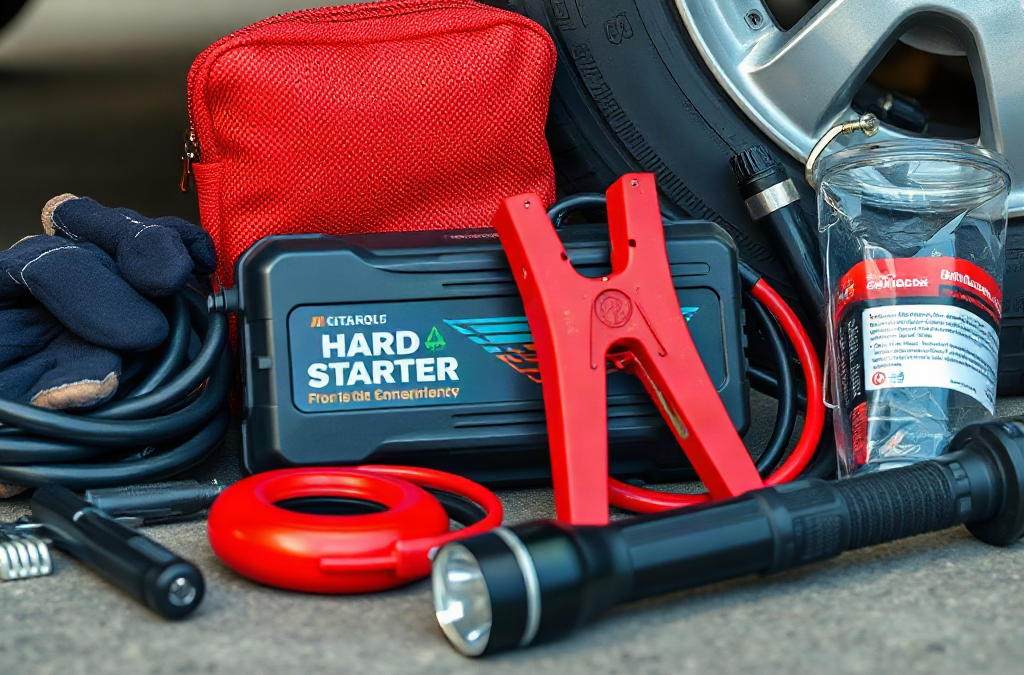
Keep the power equipment away from the engine compartment when stored. Heat can shorten battery-pack life, and a discharged jump starter is no more useful than an empty fuel can. Add a charging cable that fits the pack, then inspect its charge indicator periodically. The Hard-start kit contents for a vehicle emergency should reflect the actual vehicle, not a generic shopping list copied from a smaller car.
Tools That Separate a Weak Battery From a Fault
Starting trouble is not always a battery problem. A hard-start kit becomes more useful when it includes simple diagnostic tools that prevent repeated, unproductive cranking. A digital multimeter can show battery voltage before and after an attempted start, although readings must be interpreted carefully. A low resting reading may indicate a discharged battery, while a normal reading does not prove that the battery can deliver sufficient current under load.
A basic test light, terminal brush, small socket set, adjustable wrench, insulated screwdriver, and pliers can address minor connection issues. Loose or corroded terminals create resistance, so the starter receives less usable power even when the battery appears charged. A driver may hear a single click, rapid clicking, or no response at all. Those sounds provide clues, but they do not identify every failure. Cleaning a terminal may help a poor connection; it will not repair a failed starter motor.
Fuel-related hard starts call for a different response. If the engine cranks at normal speed but does not fire, a jump pack may not solve the problem. A kit can include a vehicle-specific spare fuse assortment, but replacing a fuse with the wrong rating is unsafe and can damage wiring. Fuel additives and starting fluid deserve restraint. Starting fluid can be inappropriate for some engines, and spraying anything into an intake without following the manufacturer’s guidance creates avoidable risk.
A useful diagnostic sequence is simple: observe whether the engine cranks, note the sound and speed, inspect visible battery connections, and try one correctly performed jump-start attempt if low power is plausible. If the engine cranks normally without starting, shift attention away from the battery. If the cables become hot, the connection sparks heavily, or the jump pack reports a fault, stop rather than escalating the attempt. A vehicle emergency hard-start kit should reduce guesswork, not encourage repeated forceful starting attempts.
Safety and Visibility Items for Roadside Work
Roadside positioning is often more dangerous than the mechanical task. A flashlight or headlamp, reflective vest, warning triangles, and work gloves deserve space beside the starting equipment. Choose lighting with a spare battery or a separately charged backup, because a phone flashlight may be needed for communication and navigation. Reflective gear makes the person working near the vehicle easier for approaching drivers to see, especially at night, in rain, or on a shoulder with limited width.
Gloves protect against grime, sharp battery brackets, and hot surfaces, but they do not make an electrical system harmless. Avoid rings, bracelets, and loose clothing near belts or fans. Keep metal tools from bridging battery terminals. Eye protection is sensible when working around a damaged or leaking battery. A battery with a cracked case, bulging sides, strong odor, or visible leakage should not be jump-started casually; move away from the vehicle and request assistance.
Other useful items include a charged phone power bank, a weather-resistant pouch for documents, a compact rain shell, and a small absorbent cloth for handling grime. A tire inflator may not start the engine, but it can address a separate roadside problem and may prevent a driver from standing near traffic while waiting for help. A tow strap is not automatically useful: towing arrangements depend on the vehicle’s drivetrain, transmission, recovery points, and local conditions. Incorrect towing can cause expensive damage.
Do not place warning devices where they create a new hazard, and never stand in a live traffic lane to deploy them. If the shoulder is narrow, visibility is poor, or traffic is moving quickly, remaining inside the locked vehicle with a seat belt may be safer than attempting roadside diagnosis. The kit should support a safe decision to stop, not pressure the driver to use every item. Emergency supplies are valuable only when their use does not expose someone to greater danger than the original breakdown.
How to Pack, Test, and Use the Kit
A hard-start kit works best when its contents are organized around the first five minutes of a breakdown. Store the jump pack, cables, light, gloves, and vehicle manual together so the driver does not empty the entire cargo area beside traffic. Put tools in a closed pouch, separate sharp objects from electrical leads, and use a waterproof container for moisture-sensitive equipment.
Testing should happen at home. Charge the jump starter according to its instructions, inspect clamps for damaged insulation, confirm that the multimeter has working leads, and replace corroded batteries in the flashlight. Check the expiration or condition of chemical items such as fuses and batteries. A short practice session can reveal a major problem: some drivers discover that the battery is under a seat, that the positive jump point is remote, or that the hood release is difficult to operate.
Use the vehicle manual’s procedure rather than relying on a remembered cable order. Park the assisting vehicle as directed, switch off unnecessary electrical loads, and ensure both vehicles are secure before connecting anything. Keep clamps from touching each other. Once connected, allow only the interval specified by the equipment or vehicle instructions before attempting the start. If the engine starts, disconnect in the prescribed order and let the vehicle operate only as long as needed to reach a safe location or obtain a proper battery charge; idling is not guaranteed to restore a severely depleted battery.
Prioritize the contents this way when space or budget is limited:
First: compatible jump starter or quality cables, gloves, flashlight, and the vehicle manual.
Next: reflective warning gear, phone power bank, terminal brush, and basic tools.
Then: multimeter, tire inflator, spare fuses, and weather protection based on the vehicle and travel area.
A commercial all-in-one kit may save packing time, but its cable gauge, battery capacity, and tool quality vary. Building the kit individually takes longer yet makes it easier to match a diesel, motorcycle, classic car, or vehicle with unusual battery access. Review the hard-start kit contents after changing vehicles, because compatibility assumptions often survive longer than the equipment itself.
When a Hard Start Needs More Than Supplies
A jump-start is appropriate only when low electrical power is a reasonable explanation. Slow cranking, dim interior lights, a clicking relay, or electrical accessories that weaken during starting can point toward a discharged battery or poor connection. A normal cranking speed with no ignition suggests a different category of fault, such as fuel delivery, ignition, immobilizer, or engine-control trouble. The kit can provide observations and limited assistance, but it cannot replace a diagnosis.
Stop attempting to start the vehicle when there is smoke, burning insulation, repeated heavy sparking, a fuel smell, fluid leakage, a damaged battery, or a power pack warning. Repeated cranking can drain the battery further and heat the starter. If the engine turns unusually slowly after a correct connection, the battery may be internally damaged, the cables may be inadequate, or the engine may have a mechanical issue. A second jump attempt is not automatically better than the first.
Consider the situation rather than the tool inventory. A driver on a rural road in freezing weather may need roadside assistance sooner because battery capacity is affected by cold and waiting conditions are harsher. A driver in a safe driveway can test voltage, clean a terminal, and arrange a battery replacement. A vehicle that starts after a jump but fails again shortly afterward may have a charging-system problem, so driving far from help could increase the risk of another stop.
The most useful next step after a successful start is to have the battery and charging system checked, especially if the battery is old, the warning lamp remains illuminated, or the vehicle needed repeated assistance. Record what happened—slow crank, clicking, normal crank with no start, and any warning lights—because those details help a technician work faster. Supplies can bridge a short interruption; they should not disguise a defect that needs repair.
Frequently Asked Questions
What is the most important item in a hard-start kit?
A compatible, fully charged jump starter is usually the most useful single item because it does not require another vehicle. Quality jumper cables are a strong alternative when assistance is available.
Can a jump starter fix a bad alternator?
No. It may provide enough power to start the vehicle, but a failed alternator may leave the battery unable to recharge. Arrange testing and avoid relying on the vehicle for a long trip.
Should the kit include a multimeter?
A multimeter is useful for drivers who know how to measure battery voltage safely. It can reveal clues about low charge or connections, but it cannot perform a complete battery or starter test.
Are jumper cables enough for every vehicle?
No. Cable length, conductor size, engine size, battery location, and manufacturer instructions all matter. Hybrid and electric vehicles may have specific 12-volt jump points and procedures.
When should I stop trying to start the vehicle?
Stop for smoke, burning smells, heavy sparking, fuel odor, a leaking or damaged battery, repeated failed attempts, or a power-pack warning. Move to safety and request roadside assistance.
Conclusion
A useful hard-start kit combines starting power with the tools and visibility equipment that make a roadside decision safer. Match the jump starter or cables to the vehicle, keep the pack charged, and store the manual with the equipment. Add a flashlight, gloves, reflective warning gear, terminal brush, basic tools, and a phone power bank before expanding into diagnostic items such as a multimeter or tire inflator.
Use the kit for a likely low-power event, then reassess the result. A slow crank that improves after a correct connection supports a battery or connection theory; normal cranking without ignition points elsewhere. Smoke, fuel odor, damaged electrical parts, or repeated failure are reasons to stop, not to try a stronger jump. Test the battery and charging system after any recurring incident, and replace or recharge kit components after use.